
THE EVOLUTION OF GO ILAWN + LANDONE
PropertyIntel Measurement & Estimating Software
Optimize operations, make smarter decisions, and drive new levels of profitability and performance.
FEATURES
Explore the features
Go iLawn and LandOne have evolved into their next generation to help landscapers collect, connect, and visualize essential data to bid, win, and service more jobs in less time.
FEATURES
Explore the features
Go iLawn and LandOne have evolved into their next generation to help landscapers collect, connect, and visualize essential data to bid, win, and service more jobs in less time.

Measuring Tools

Aerial imagery and PDF uploads

Automated Estimating

Visual Proposals

Done-for-you measurements

Aspire Integration

ProMaps

Reference Maps
Precision Measuring Tools
Gather accurate property measurements with precision measuring tools designed for landscape contractors to easily create takeoffs for maintenance work, design-build projects, enhancement opportunities, and more.
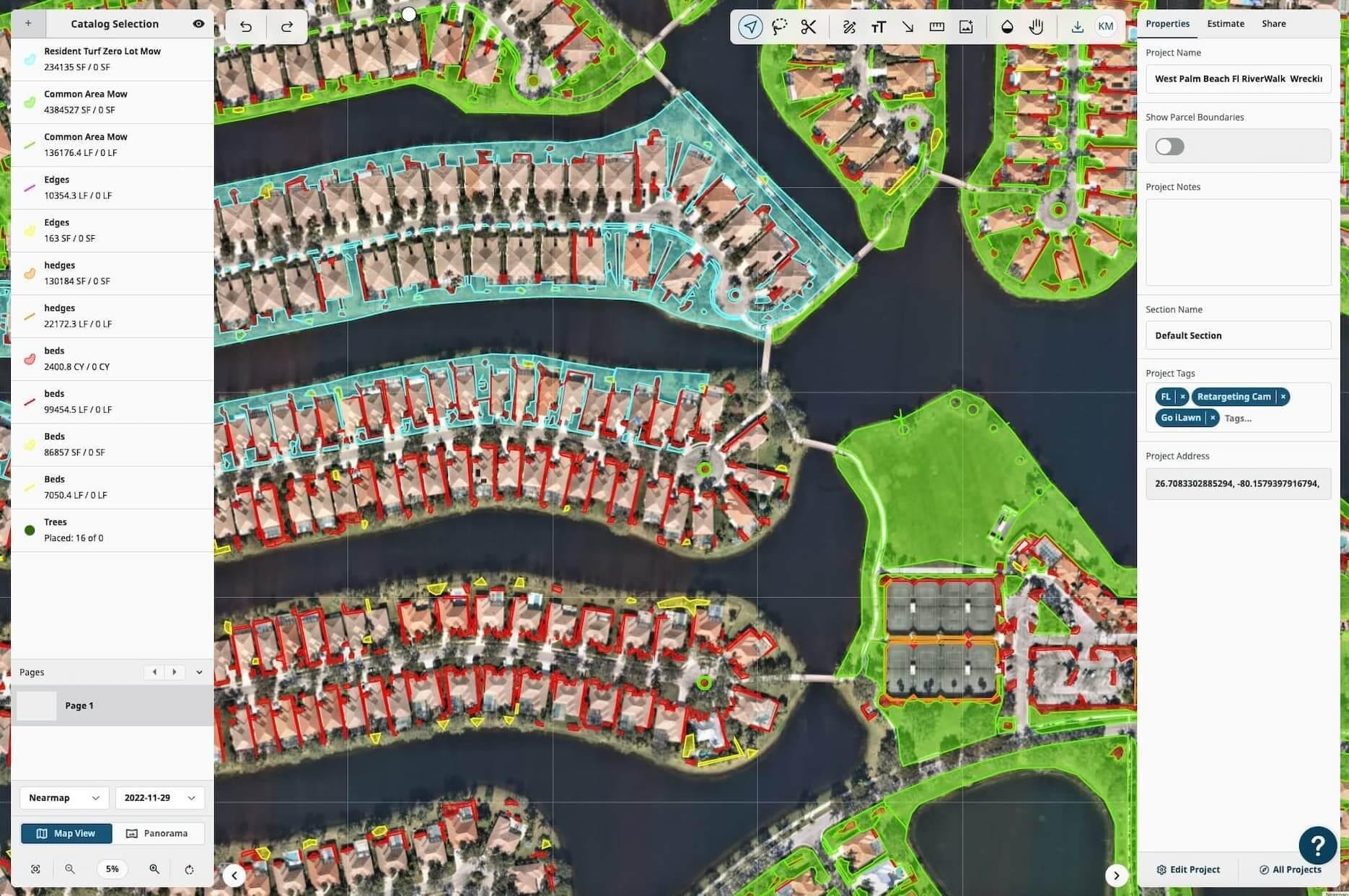
High-Res aerial imagery and PDF uploads
Use high-resolution aerial imagery and PDF uploads to create fast, professional takeoffs.
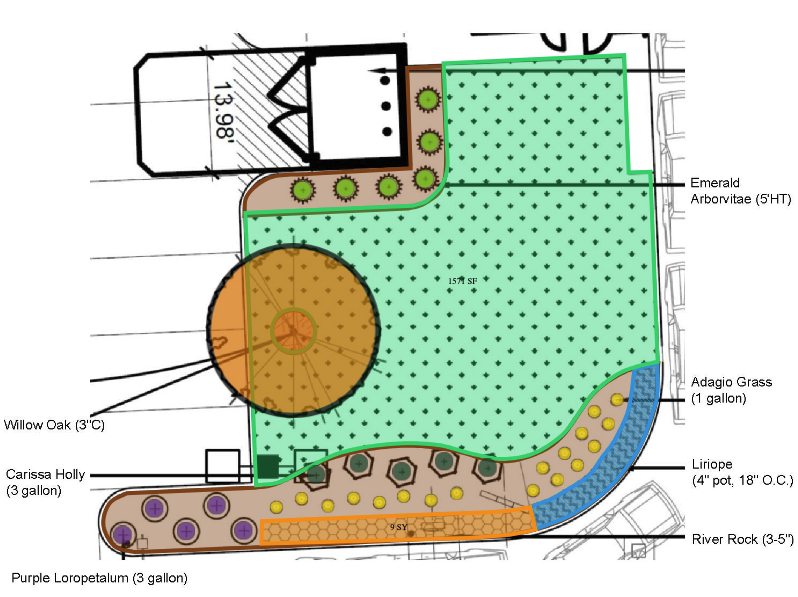
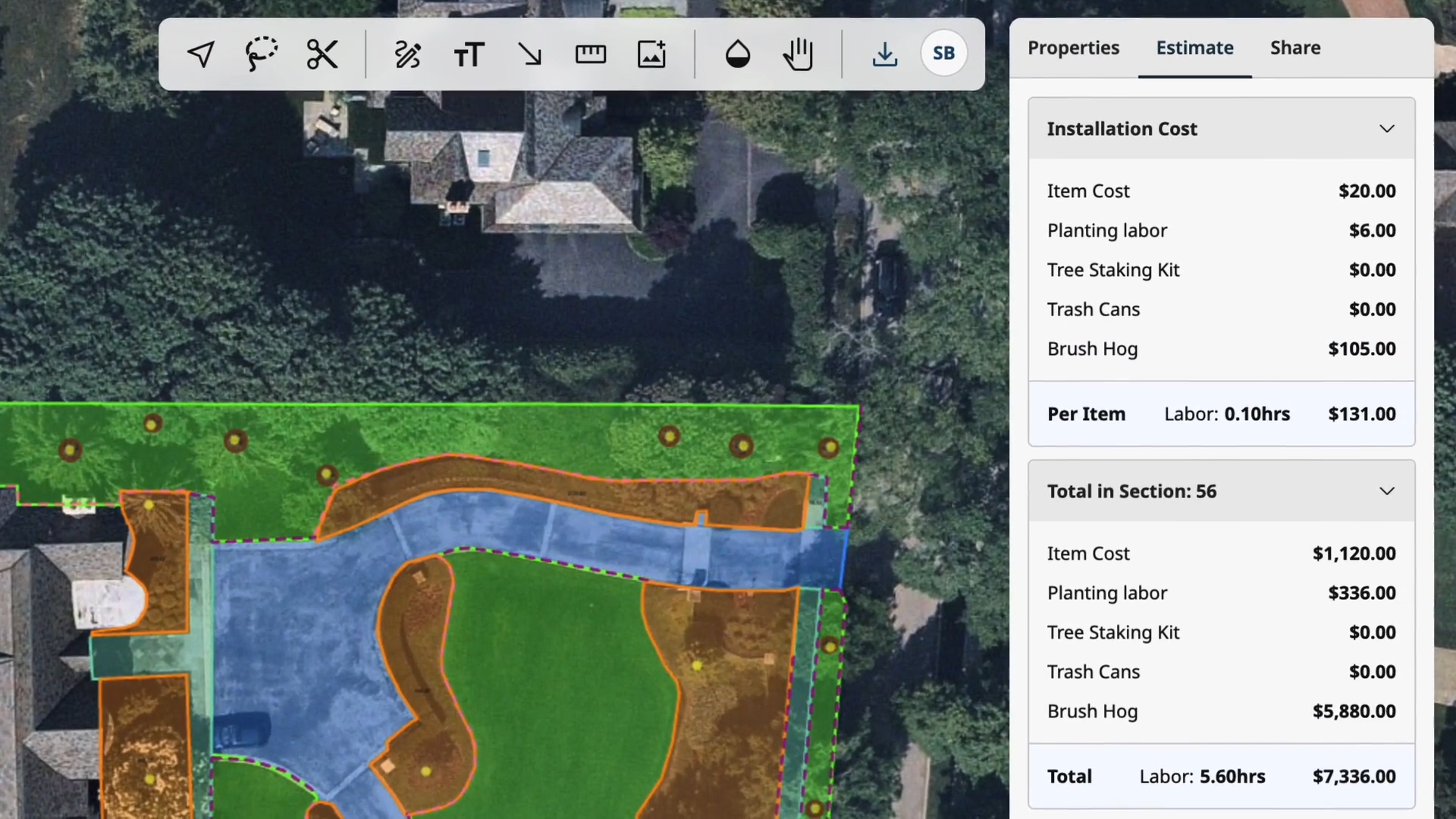
Automated Estimating
Calculate time, material, and cost estimates automatically as you measure with data imported from your own pricing database or the Aspire platform to save time and reduce errors caused by manual data entry.
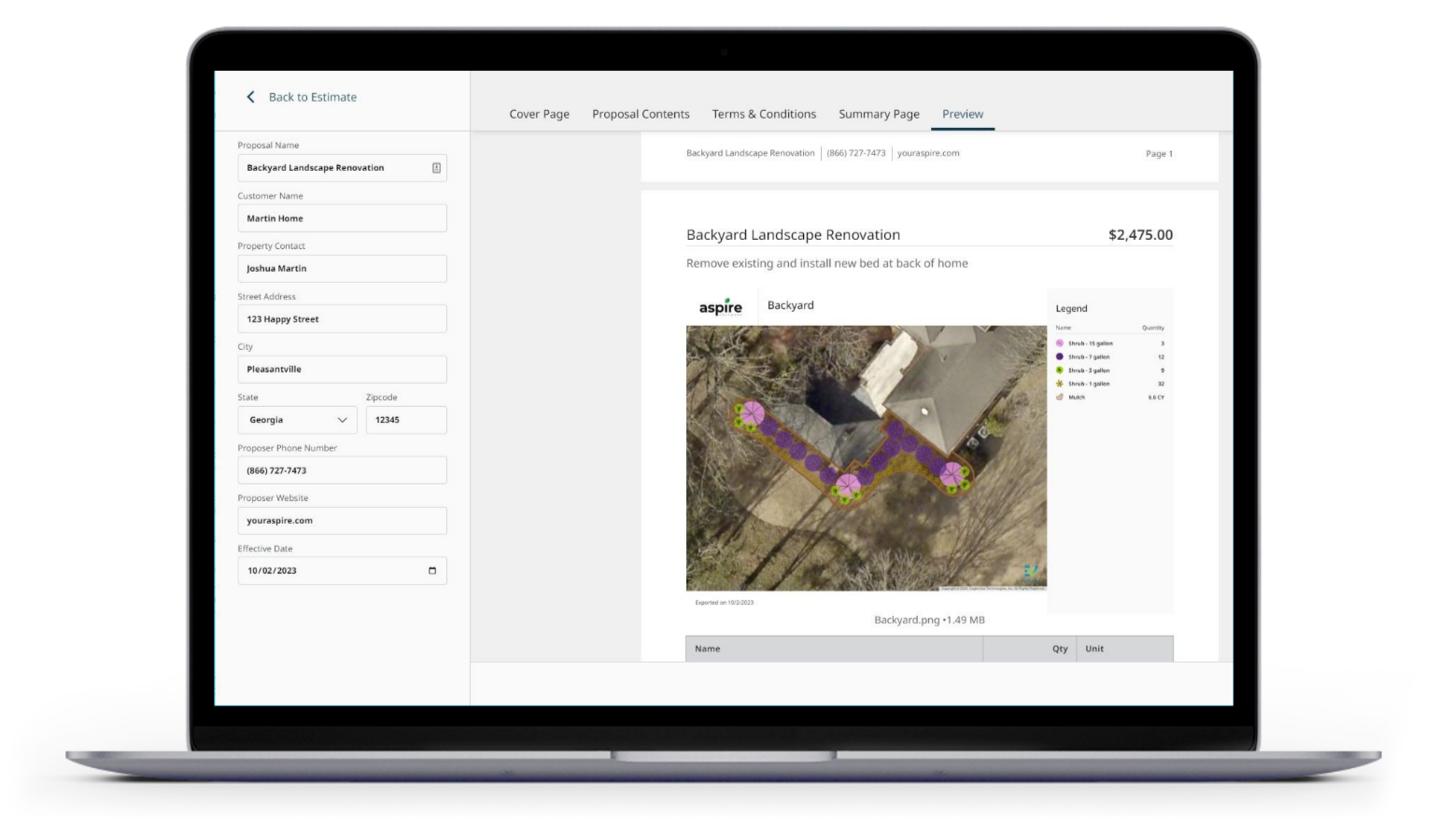
Proposal Builder
Generate and send visual proposals for presentation and implementation, complete with pricing breakdowns, color-coded project sitemaps, customizable cover letters, and more.
Done-for-You Measurements
Meet changes in demand and keep salespeople focused on closing deals with automated property measurements delivered directly to your account. We'll even move all your existing property takeoffs from your current system into PropertyIntel with our Complete Portfolio Mapping service.
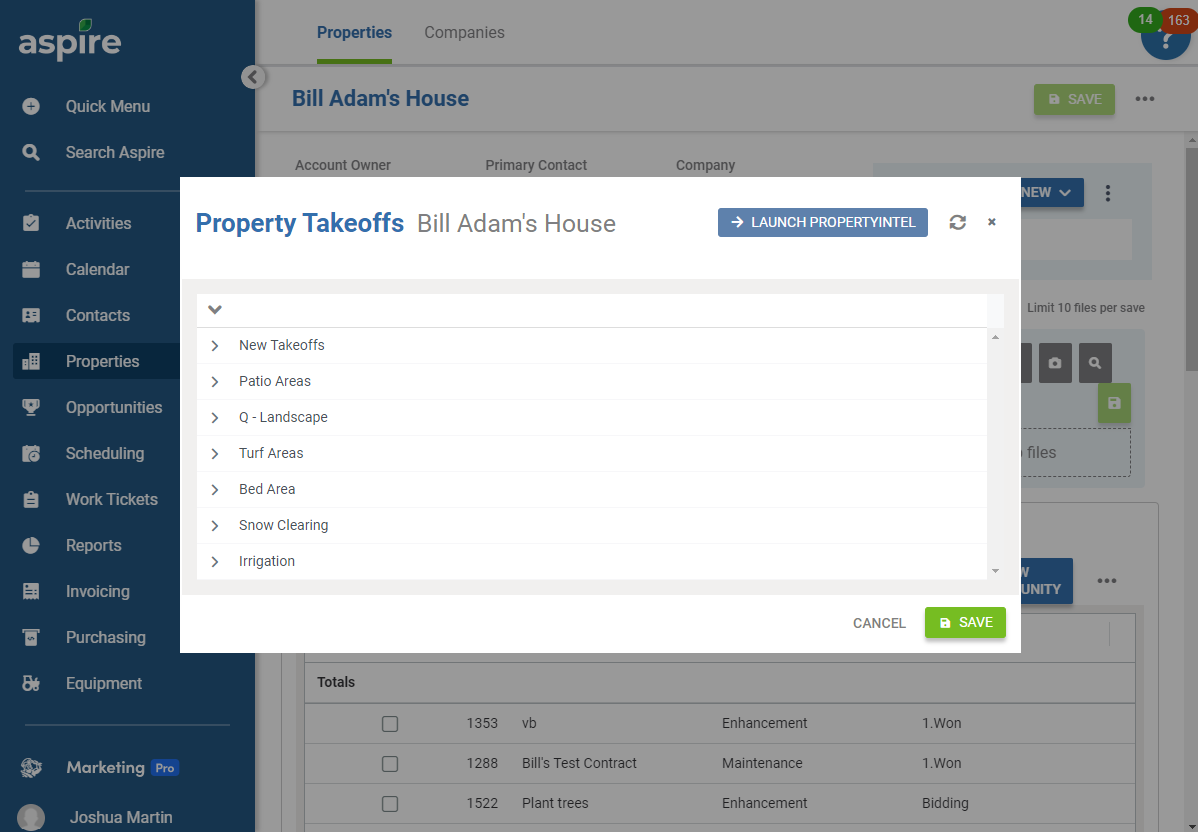
Aspire Integration
Gain greater clarity by connecting real-time property and customer data using a direct integration with Aspire’s end-to-end business management platform.
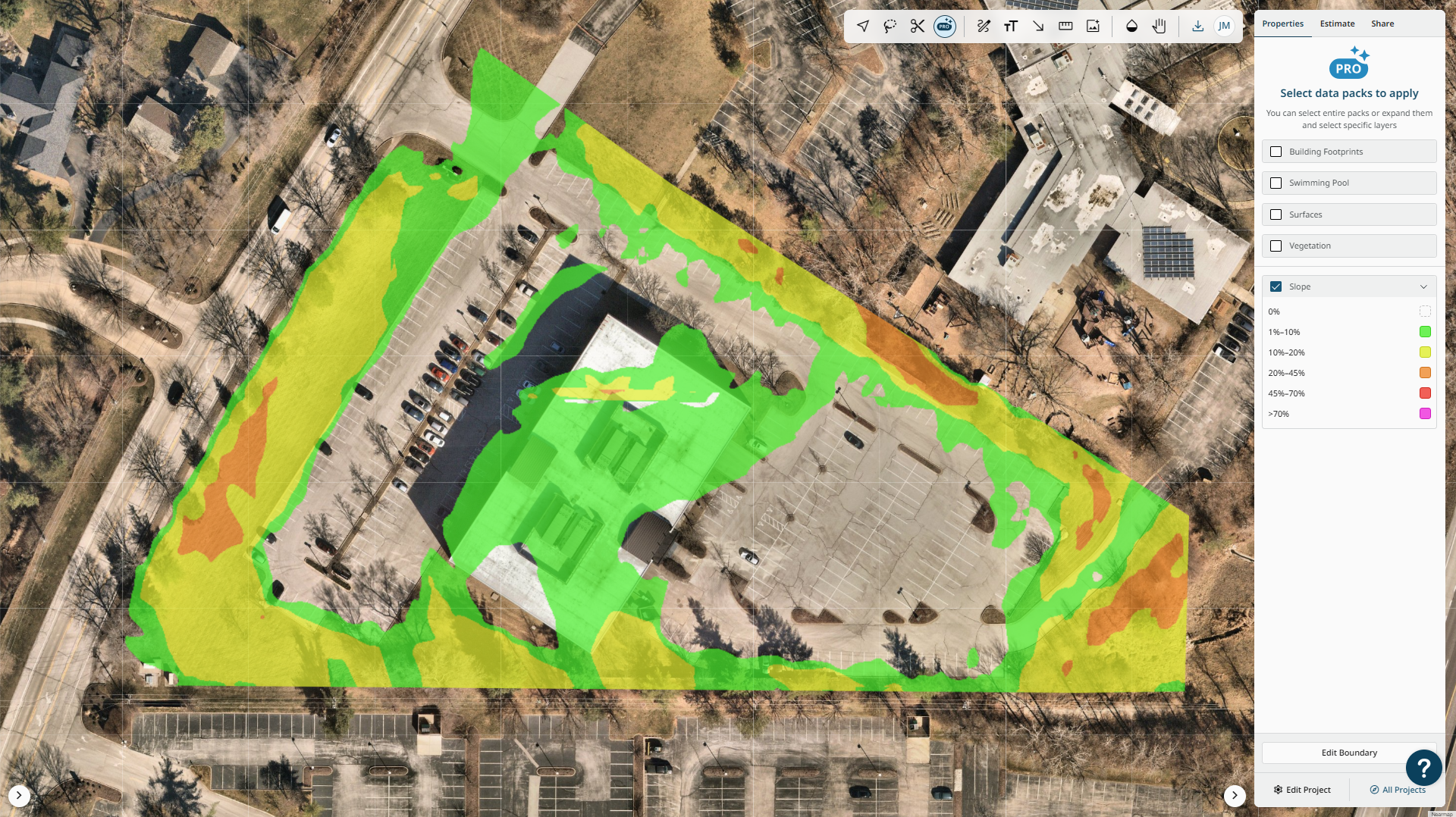
ProMaps
Harness the power of artificial intelligence with ProMap’s AI-assisted measuring and slope visualization.
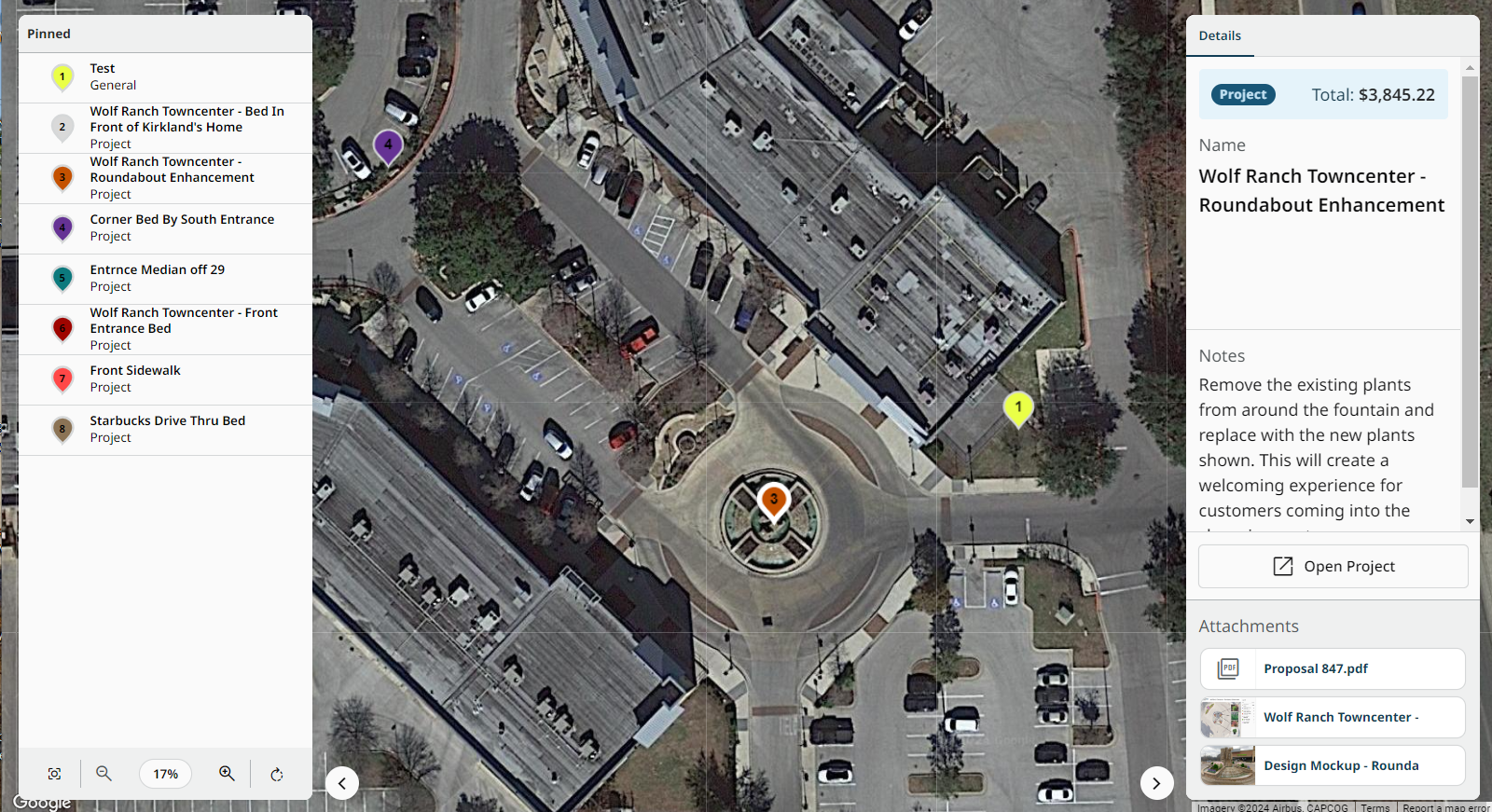
Reference Maps
Create shareable maps for easy communication with customers or internal teams. You can place pins on master maps to highlight areas of interest on a property such as enhancement ideas or issues, all linking out to their own project.
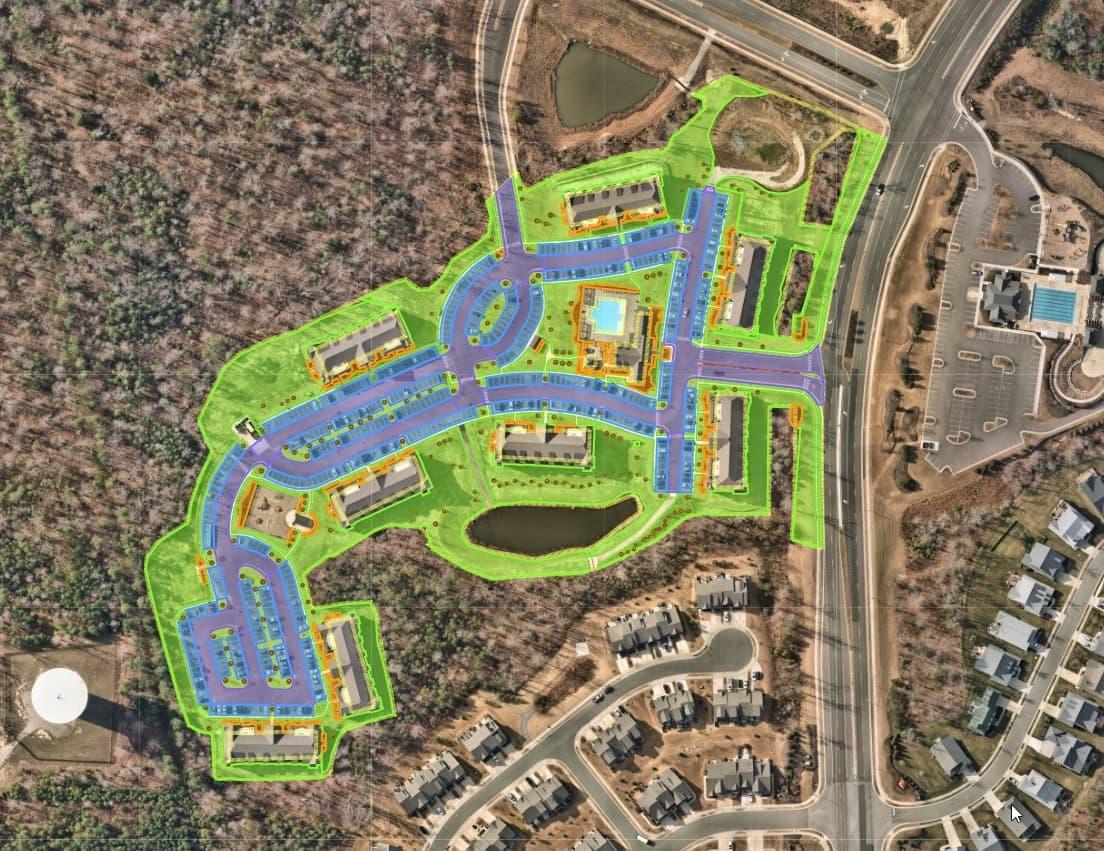
Measuring Tools
Gather accurate property measurements with precision measuring tools designed for landscape contractors to easily create takeoffs for maintenance work, design-build projects, enhancement opportunities, and more.
Aerial imagery and PDF uploads
Automated Estimating
Visual Proposals
Done-for-you measurements
Aspire Integration
ProMaps
Reference Maps
Measuring Tools
Gather accurate property measurements with precision measuring tools designed for landscape contractors to easily create takeoffs for maintenance work, design-build projects, enhancement opportunities, and more.
Start a free trial
See how PropertyIntel can help you collect, connect, and visualize your most important data to bid, win, and service more jobs in less time.
The next generation of Go iLawn and LandOne drives your business operations
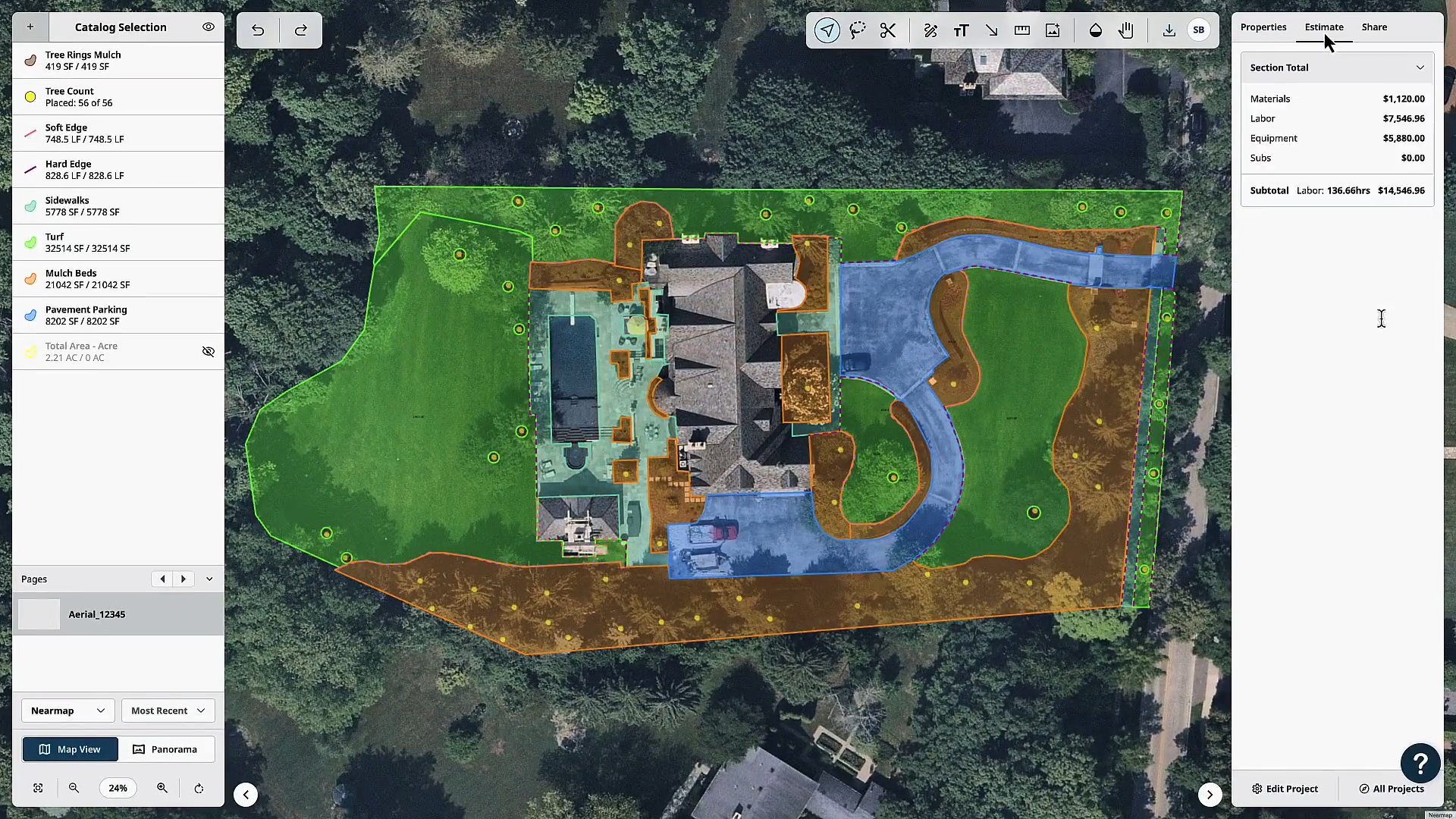
Collect, connect, and visualize essential data to bid, win, and service more jobs in less time.

Collect accurate data

Connect related data

Visualize essential data
Bid, win, and service more jobs in less time
FAQS
Frequently asked questions
How can I create job plans with PropertyIntel?
Users can create detailed job plans using PropertyIntel’s extensive library of drawing tools. Arrows, text notes, or freehand notes may be added to a takeoff to guide crews on the required or most efficient way to service a property, call out site hazards, or add important property servicing notes for crews to view while they are on-site. Users can also organize the on-page measurements themselves into groups for phased work (ex. “Day 1”, “Day 2”, etc.), color-code the groups for easy visualization of the work-to-be-done, or utilize the pages option to guide different stages of a project’s work.
What training/support is available?
All PropertyIntel customers have access to our in-app guides, tutorial videos, and Knowledge Base articles. Customers on Advanced and Enterprise plans also receive dedicated Implementation training at the beginning of their subscriptions. All PropertyIntel customers may continue to receive product support, demonstrations, and training at any time throughout their subscriptions by submitting a support ticket to our team.
What is the benefit of using PropertyIntel over Go iLawn, LandOne, and other online measuring solutions?
Both Go iLawn and LandOne are great applications, but they are separate systems that require different subscriptions, and the distinct types of property data they produce can’t be connected.
PropertyIntel combines the tools, technology, and capabilities of Go iLawn & LandOne into a single application. It also adds new functionality that lets you seamlessly collect, connect and visualize all the essential data you need to win and service more jobs in less time.
PropertyIntel eliminates the need to use and manage different tools. Benefits include increased productivity, speed, and collaboration across your organization.
When is a search credit used?
A search credit is used any time a new aerial image is requested. This will occur when starting a new project from an aerial image, adding a new page with aerial imagery within an existing project, or copying a page or project using aerial imagery. Existing projects accessed for viewing or editing do not use an additional search credit.
If we are estimating or searching a large property that falls on multiple lots, would that count as one search credit, or would it be one credit per lot (per assessor)?
A map credit is connected to the land area of a project. A single property with multiple parcels would still just be one search.
Can I export my Go iLawn/LandOne projects to the PropertyIntel platform?
Yes. Your Go iLawn/LandOne projects can be exported to PropertyIntel, and you can access and edit them using the new PropertyIntel tools.
What are the terms of use?
PropertyIntel's terms of use can be found here.
What is happening to Go iLawn and LandOne?
Go iLawn and LandOne are evolving into their next version, PropertyIntel. They are no longer receiving development support for updates and new releases, and we encourage contractors to move to PropertyIntel for priority support, monthly feature releases, and new technologies.
How can I get my existing customer property takeoffs into PropertyIntel?
Existing Go iLawn and LandOne users will receive assistance from our support team to link and transfer all existing projects.
Contractors using other software solutions or in need of updated maps may take advantage of Complete Portfolio Mapping.
Complete Portfolio Mapping is part of our PropertyIntel Complete service that helps you onboard quickly and easily to the platform. Whether you're missing measurements and takeoffs for your property portfolio, or need your existing takeoffs moved over from another measuring solution, Complete Portfolio Mapping delivers automated property measurements directly to your account, so you can get up-and-running on PropertyIntel immediately.
Existing Aspire Customers interested in PropertyIntel will also have their maps linked to their corresponding Property Takeoffs and Opportunities.
Is it possible to measure multiple properties at once with PropertyIntel?
Yes! Not only can one or many users capture multiple measurements in parallel, they can also submit requests to capture measurements simultaneously for as many properties as they’d like with our PropertyIntel Complete (“done-for-you”) service.
Does PropertyIntel allow collaboration across teams?
Yes, PropertyIntel offers a shared repository of properties and projects across which teams can collaborate. Additionally, the project plans developed in PropertyIntel help drive alignment across teams while they collaborate on the planning and execution of work.
Is there a mobile app for PropertyIntel?
As a cloud-based solution, PropertyIntel offers full mobile functionality to its users through our mobile optimized web app.
What measuring and drawing tools are available to users in PropertyIntel?
PropertyIntel supplies users with many tools for capturing precise property measurements, such as the “Shape” and “Circle” tools for area and volume, “Line” tool for length, the “Count” tool for individual material amounts, and the “Object Group” tool for calculating counts of items in an area based on item spacing.
Additionally, PropertyIntel offers advanced drawing tools to allow for more efficient, fine-tuned measuring. Users may use the multi-select tool to select multiple shapes; create freehand notes in the Markup; add arrows; add text notes; modify vertex points on existing shapes by deleting or moving them; rotate one or multiple drawings; utilize the distance guide for quick measurements; smooth curves to round drawing edges; combine drawings; cut out shapes; reverse cut outs; split shapes; and snap lines and points to edges.
Users may also access an extensive material image library to add plant and material images to design plans.
Does PropertyIntel Complete allow you to resubmit takeoffs?
Yes, users can easily resubmit a takeoff via a support ticket.
Is it possible to split properties into multiple zones/areas?
Yes! Users may divide properties into different areas of interest using Sections; different Pages within the same project; or with Reference Maps, which allow them to pin individual projects for areas of opportunity onto a master map.
What export options are available for completed projects?
PropertyIntel offers intuitive export options in multiple formats: PDF, PNG, and XLSX. Users may also generate and send Visual Proposals, complete with pricing breakdowns, color-coded project sitemaps, customizable cover letters, and more. Finally, users may share/export their projects via an interactive, non-editable link using ShareView.
What imagery options are available?
PropertyIntel offers three imagery sources. Users can choose between two different providers for high-resolution, leaf-off aerial imagery, which capture property photos as often as every few months (area-dependent). Users may view all available dates for the aerial imagery to see how a property has changed over time, or use the Panorama view to look around the property from 90 degree angles. Users may also access satellite imagery.
PROPERTYINTEL: AN ASPIRE SOLUTION
Save time and win more jobs with PropertyIntel
Get started connecting and visualizing essential data you need to grow your business.
Start a Free Trial
FrontRunner & Category Leader 2025




 866-727-7473
 Schedule Demo
 390 S Woods Mill Rd #300 Chesterfield, MO 63017


